
- For FreeAgent
- Email or upload
- UK VAT
No more unexplained transactions.
Mintyai matches your receipts to FreeAgent bank transactions with AI, then adds the explanation, category, VAT rate and receipt once you approve.
Nothing is written to FreeAgent until you approve it.
Mintyai in 25 seconds

Before and after
From a red list to an explained bank feed
Bank lines like “AMAZON* ZR26F1UJ4/LONDON GB” say little about what was bought. Mintyai pairs each one with its receipt so you can approve in seconds.
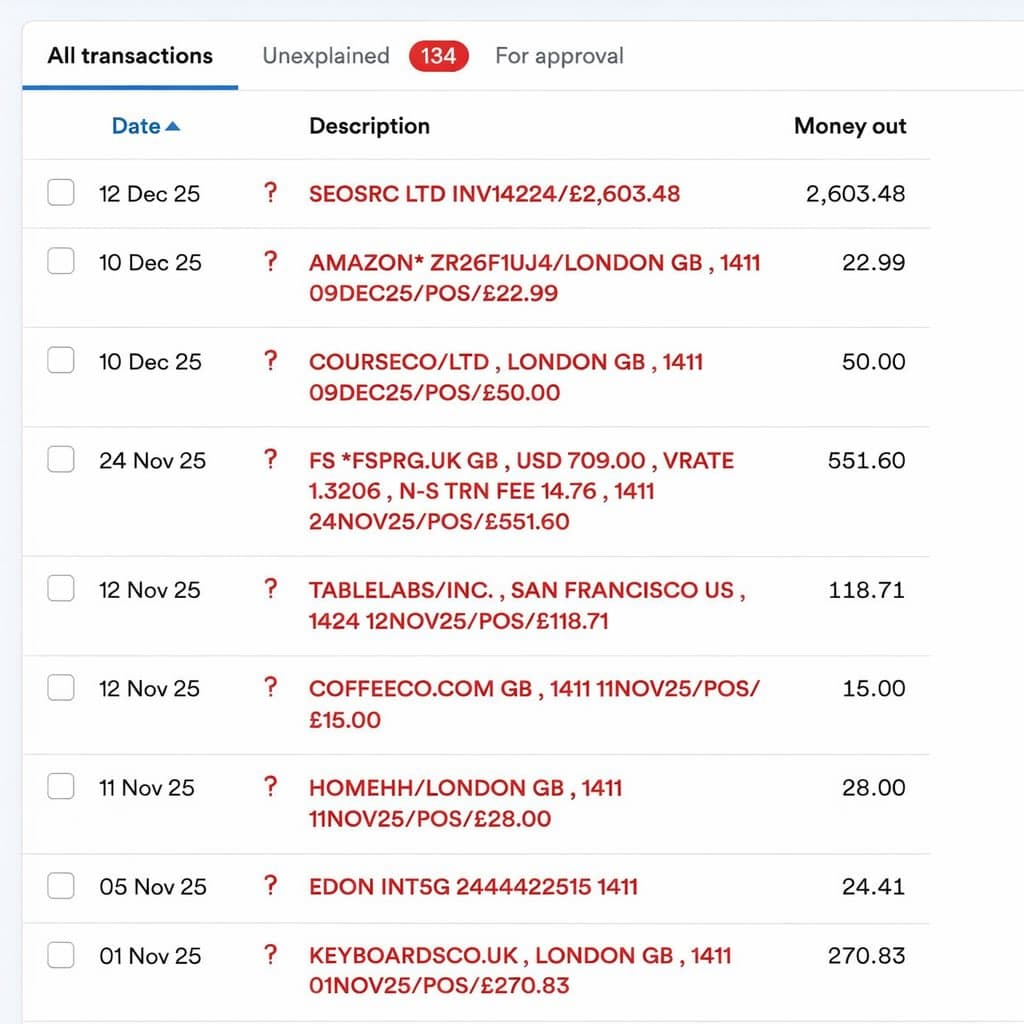
Before
Unexplained transactions waiting in FreeAgent.
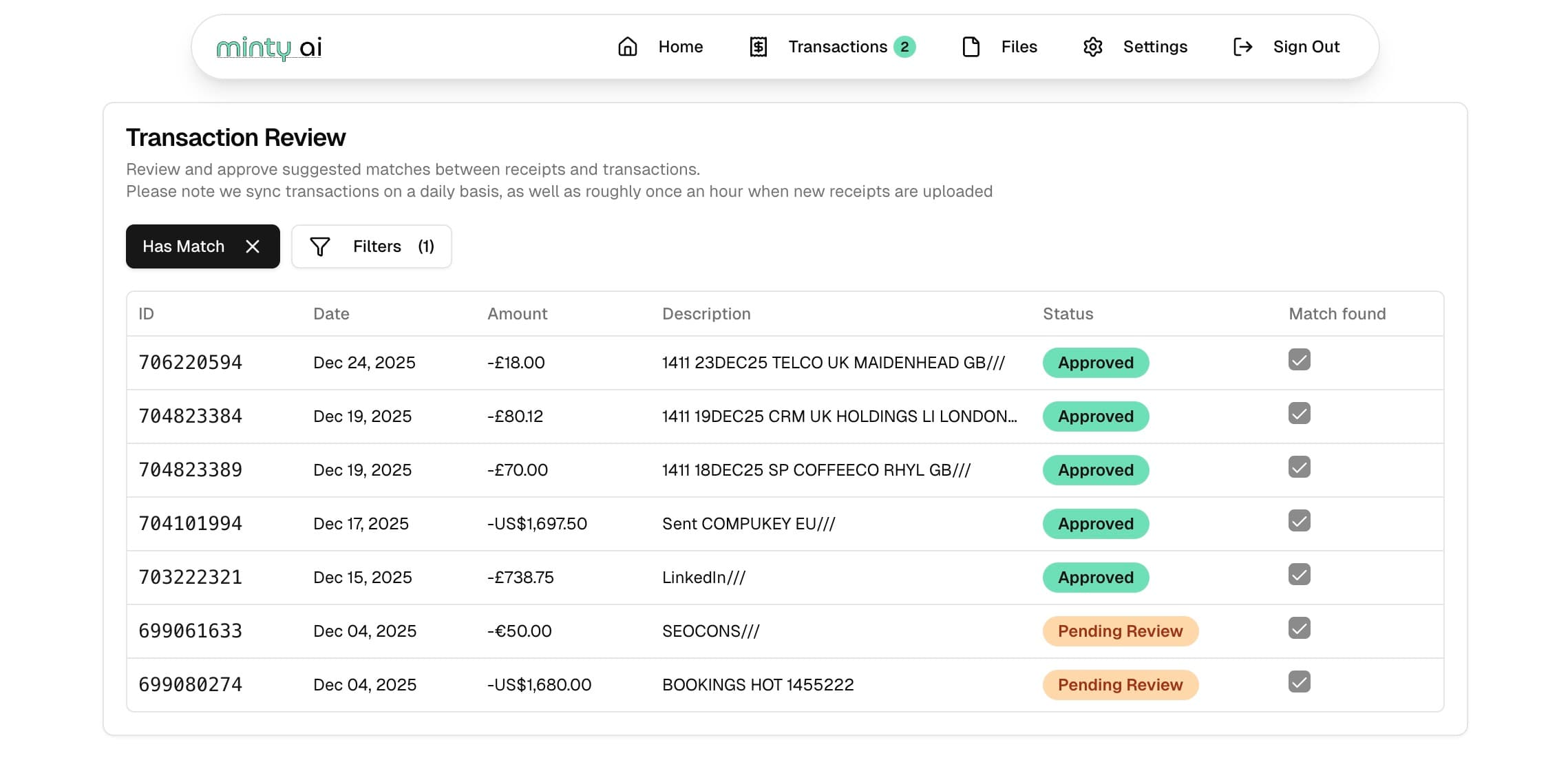
After
The same transactions in Mintyai, matched and approved.
Bookkeeping that keeps up with your bank feed
The slow part of explaining a transaction is finding the receipt and copying its details. Mintyai does both. See how matching works.
Forward or upload
Receipts arrive on their own
Every account gets a private inbox address. Forward receipts, or set a Gmail filter once, and they arrive as they are sent. Bulk upload works too.
PDF, PNG, JPEG and GIF. Emails without attachments become PDFs.
Read by AI
Every detail pulled out for you
Total, VAT and rate, date, supplier, currency and a short explanation are read from each receipt, and a category is chosen from your FreeAgent list.
Foreign-currency receipts are converted to find the GBP charge.
You stay in control
Nothing changes until you approve
Review each suggested match with the receipt next to the transaction, adjust anything, then approve one at a time or in bulk.
Approved matches are explained in FreeAgent with the receipt attached.
Learns your books
Categories that follow your choices
Each approval records the category you use for that supplier, even when the bank spells it differently, and the AI uses your history for new ones.
Find the strays
Match from either side
Start from a transaction and pick its receipt, or start from a receipt and search your bank feed by description or amount.
Built for FreeAgent
Connects in a few clicks
Sign in on FreeAgent and approve access. Mintyai syncs the outgoing transactions that need explaining, when you sign in and every night.
New in Mintyai
Less to chase, fewer wrong guesses
Recent additions, shown with sample data. Watch them in action.
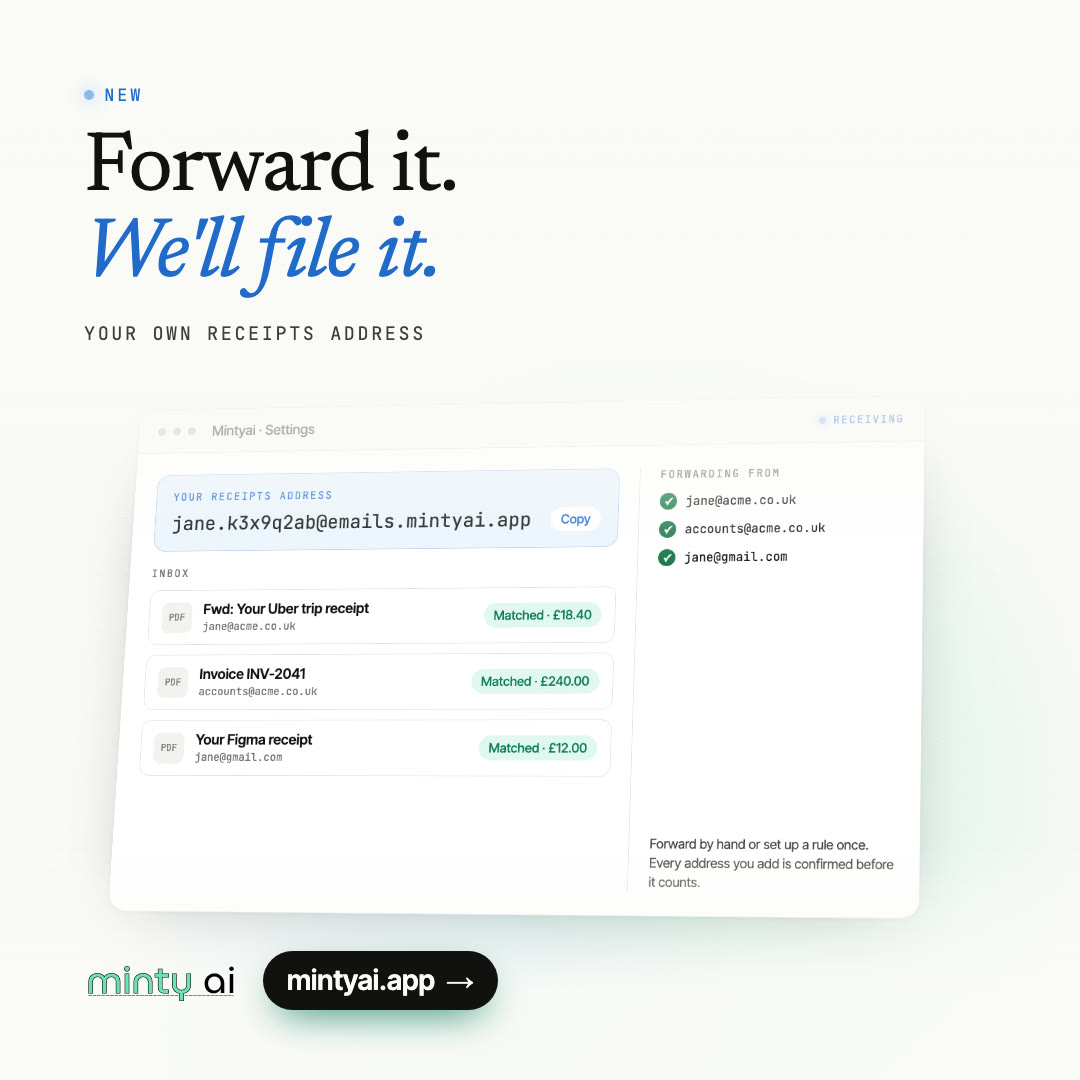
Every account gets its own receipts address. Forward from any address you have confirmed, by hand or with a mail rule.
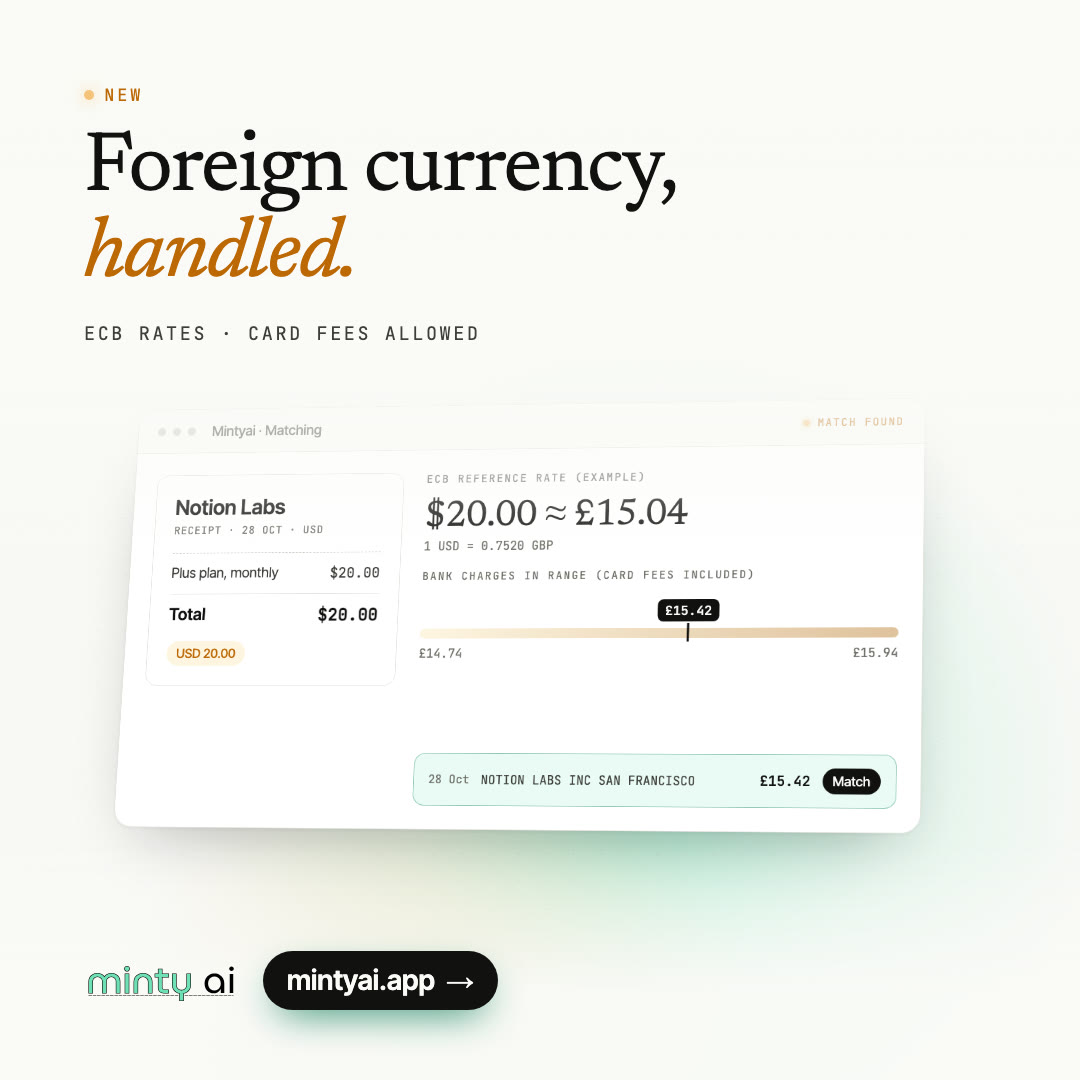
Receipts in other currencies are converted at the European Central Bank reference rate, allowing for card fees, to find the GBP charge.
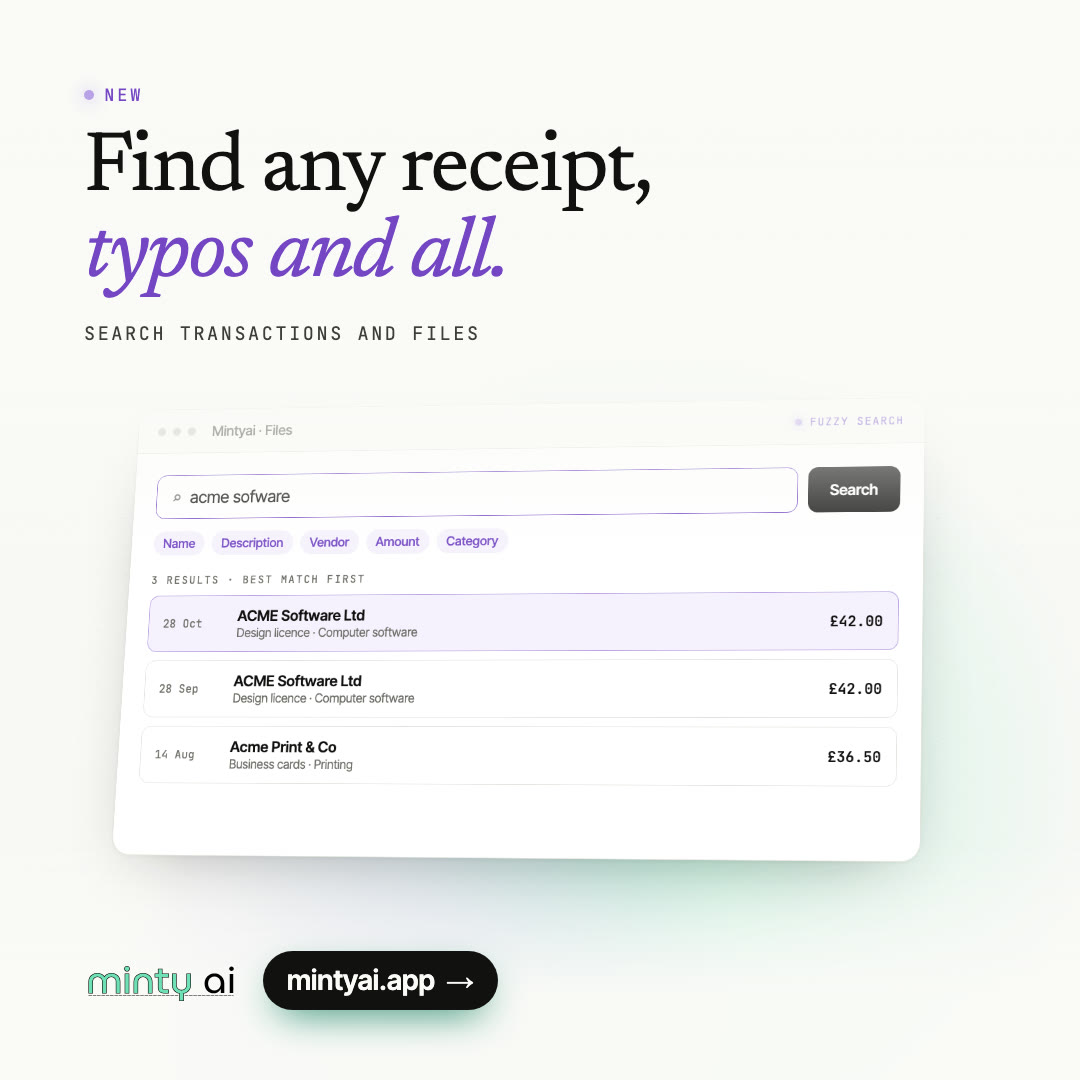
Search transactions and files by name, description, supplier, amount or category. Misspellings still find a match.
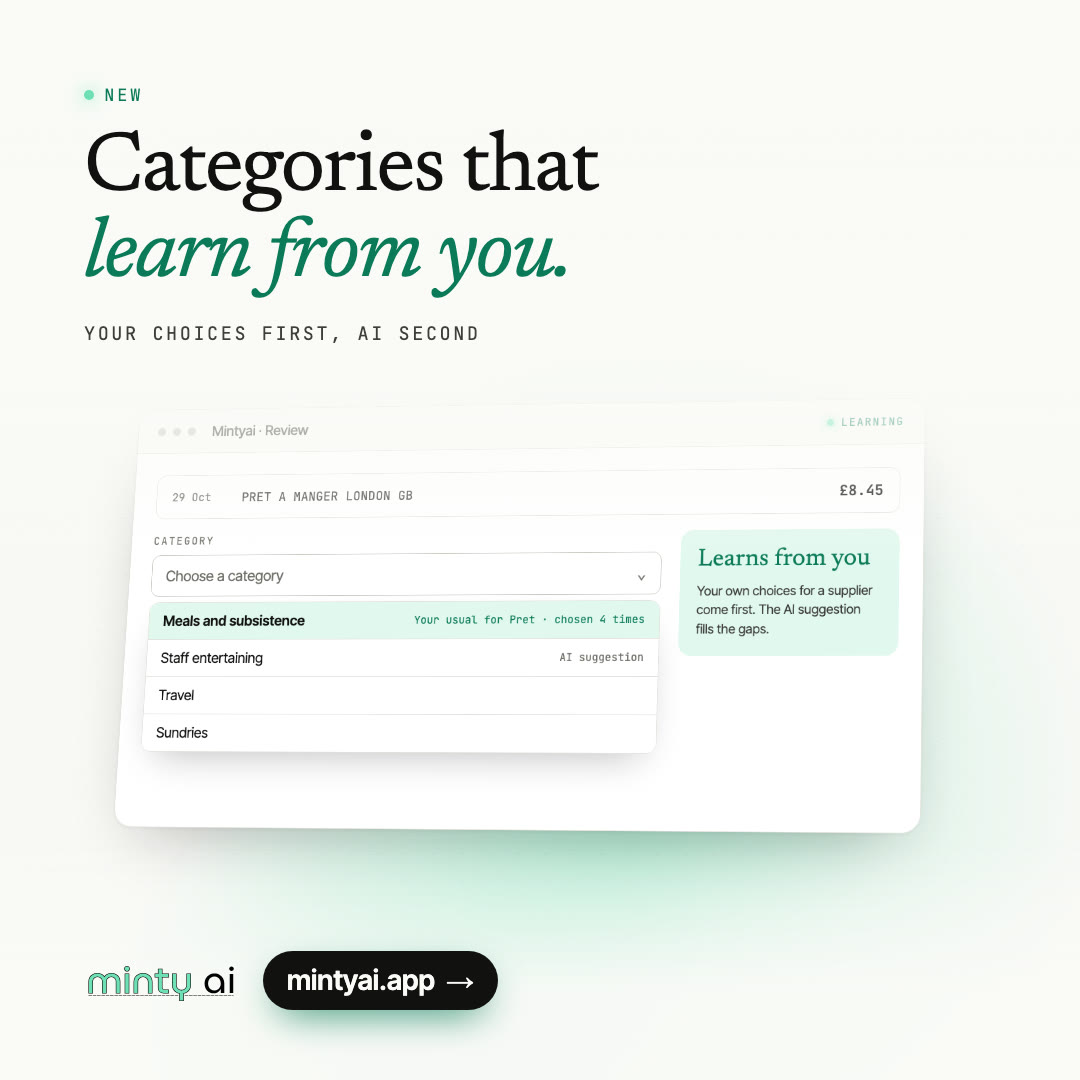
The category you use for a supplier is suggested first next time. The AI suggestion fills the gaps.
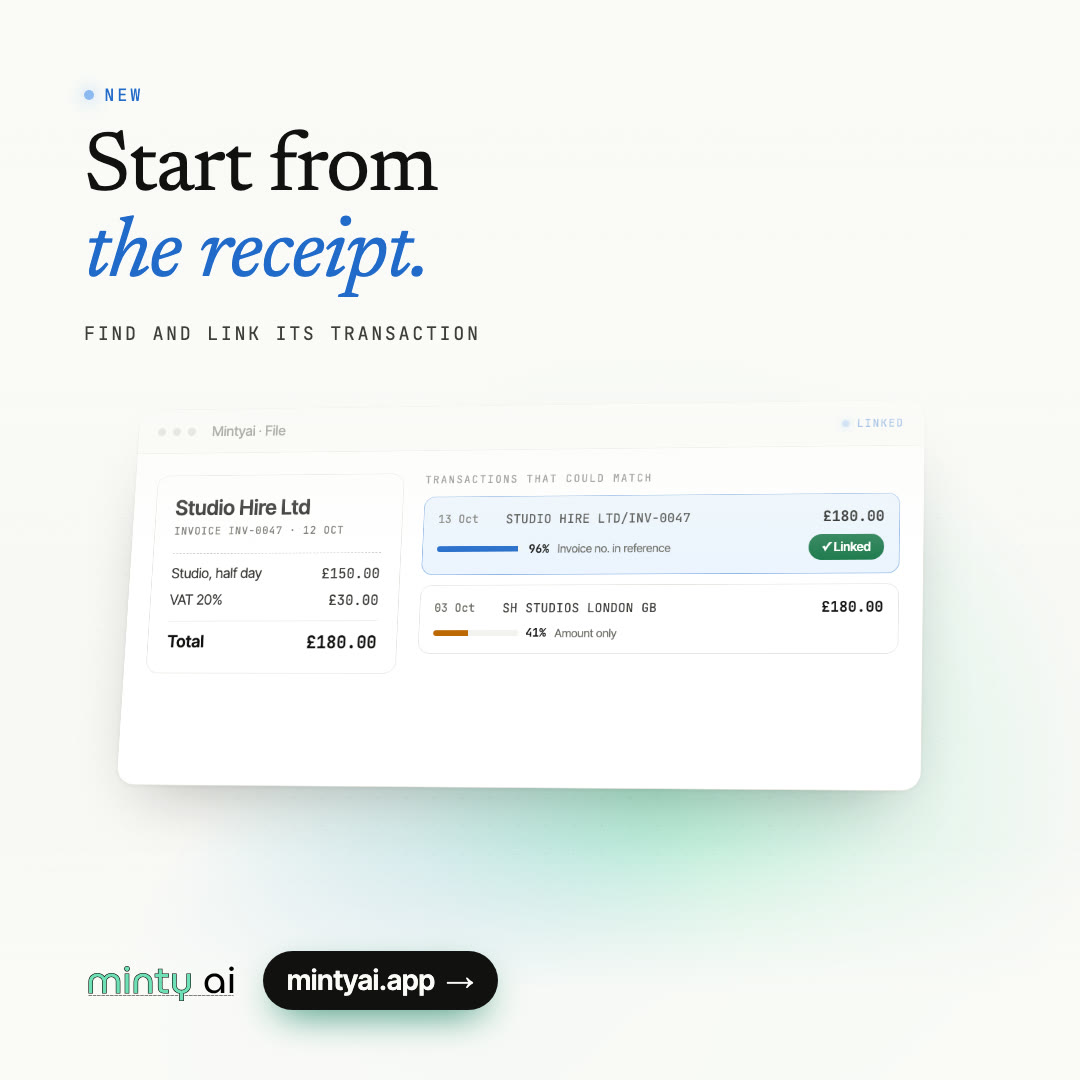
Open any receipt to see the transactions that could match it, ranked, and link the right one.
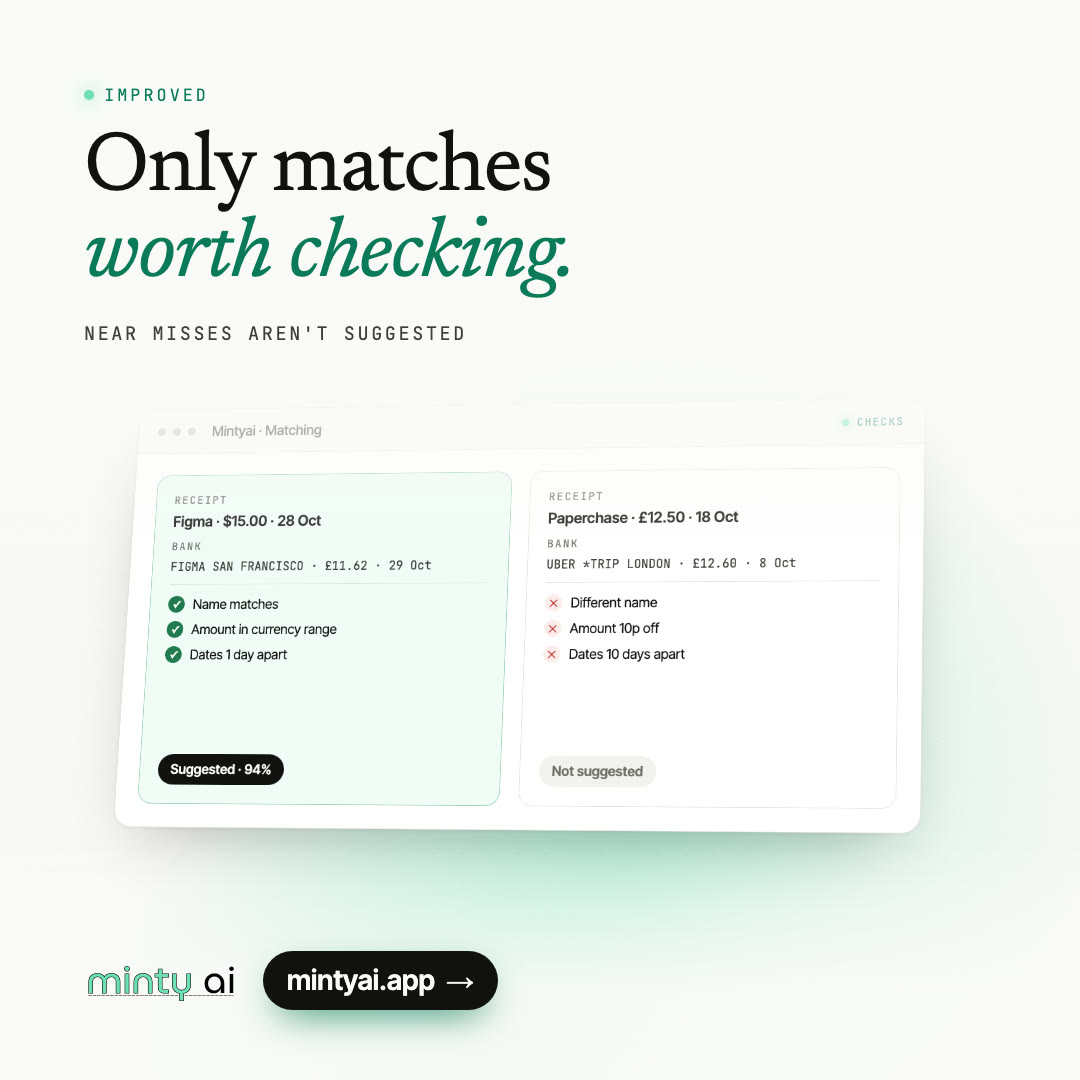
A transaction with a different name and only a similar amount or a distant date is no longer suggested.


How it works
Four steps, most of them automatic
- 01
Connect FreeAgent
Approve access on FreeAgent's own site. Mintyai never sees your FreeAgent password.
- 02
Send your receipts
Forward them to your private inbox address, or drag them into the app.
- 03
Review the matches
Mintyai looks within 14 days of each receipt and suggests the transaction it belongs to, with the explanation, category and VAT rate filled in.
- 04
Approve
One click and the transaction is explained in FreeAgent, receipt attached.
Your books, your call
Mintyai suggests. You approve. Only then does FreeAgent change.
FreeAgent access tokens are kept in a separate secrets manager, each account can only see its own data, and your database and receipt files are hosted in the EU (Ireland). Read our privacy policy.
On approval
What lands in FreeAgent
- Explanation
- A short description of what was bought, editable before you approve.
- Category
- Chosen from your own FreeAgent categories, guided by the ones you used for that supplier before.
- VAT rate
- Read from the receipt and checked against the totals.
- Attachment
- The receipt file attached to the bank explanation in FreeAgent.
What does it cost?
Prices in pounds, billed monthly. Start with a free trial.
Basic
£5.99 / month
- 100 receipt matches a month
- Email forwarding and bulk upload
- Category and VAT suggestions
Pro
£29.99 / month
- 500 receipt matches a month
- Email forwarding and bulk upload
- Category and VAT suggestions
Enterprise
£259.99 / month
- 6,000 receipt matches a month
- Email forwarding and bulk upload
- Category and VAT suggestions
Questions
All questionsHow does Mintyai match receipts to transactions?
Mintyai uses AI to read the date, amount, VAT and supplier from each receipt, then matches it to your FreeAgent bank transactions. It learns the categories you choose for each supplier, so suggestions improve as you approve matches.
Is my data secure?
Your data travels over HTTPS and is stored with providers that encrypt it at rest. FreeAgent access tokens are kept in a separate secrets manager, not in our database, and Mintyai only reads the FreeAgent data it needs to match receipts.
How do I send receipts to Mintyai?
Forward receipt emails to your personal Mintyai inbox address, set up a mail filter to forward them automatically, or upload them in bulk in the web app. Mintyai extracts the receipt details and matches them to your transactions.
What happens if a match is incorrect?
You are always in control: Mintyai never submits explanations without your approval. You can review, edit, approve or reject matches in the rapid review mode.
Can I cancel my subscription anytime?
Yes, you can cancel your subscription at any time from your settings page. You will continue to have access until the end of your current billing period.
Do I need to install anything?
No installation required. Mintyai works in your web browser and connects to FreeAgent through FreeAgent's secure sign-in. Connect your FreeAgent account and you are ready to go.
What if I exceed my monthly receipt limit?
If you exceed your plan's monthly limit, you can upgrade to a higher plan at any time. Your usage resets at the start of each billing cycle.
Would my accountant like this?
They would love it. Minty AI saves HOURS of work every month.
Clear the unexplained list
Create an account, connect FreeAgent and start your free trial.
Contact
Get in touch
Questions about Mintyai, pricing or how it fits your bookkeeping? Send us a message.